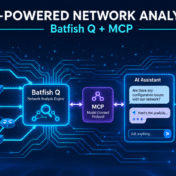
Network validation has traditionally required a deep understanding of complex toolchains, specialized APIs, and query languages. While tools like Batfish have revolutionized how we analyze network configurations and prove correctness before changes hit production, constructing the right queries or parsing raw data can still introduce friction into daily engineering workflows…. Read more »
As modern enterprise networks grow in scale and complexity, configuration errors remain a primary cause of unexpected outages and security vulnerabilities. Traditionally, network engineers validated design changes by setting up resource-intensive physical hardware labs or running emulation environments like GNS3. Once changes were applied to production, verification relied on manual,… Read more »
The Problem: Growing Complexity and the Need for Automation Today’s network administrators face significant challenges in managing complex infrastructure. These include deploying configuration changes quickly and with minimum disruption to network operations, gaining a clear view into network activity, and reacting to unexpected incidents in a timely manner. Beyond these,… Read more »
In this post, I’ll explore a project that leverages the Raspberry Pi Pico W to display the daily schedule and other relevant messages on an e-ink (e-paper) display. I created this project to provide a quick and easy way to view my daily schedule, make announcements, and provide other important… Read more »
Introduction Alpine Linux is a Linux distribution designed for security, simplicity and resource efficiency. It is also small (around 4MB w/o GUI) and is designed to run directly from RAM. Alpine Linux is a good choice for creating Docker containers or to deploy applications in the cloud. Alpine Linux does… Read more »
Batfish is an open source network configuration validation and verification software. The article reviews and demonstrates some major features of the software by using it to analyze configuration files of three small networks.
Like many people, I have started learning about Software-Defined Networking and OpenFlow using Mininet, which is a great virtual environment to use. However, Mininet has some limitations, and I found myself looking for hardware alternatives. This article describes how to build an OpenFlow lab environment that can be used for… Read more »
The FlowManager is a RYU controller application that gives the user manual control over the flow tables in an OpenFlow network. The user can create, modify, or delete flows directly from the application. The user can also monitor the OpenFlow switches and view statistics. The FlowManager is ideal for learning… Read more »
Linux containers isolate applications from the host system that they run on and from other containers. Containers behave much like virtual machines, but unlike virtual machines, containers include only the software components they need to operate rather than an entire operating system. This improves performance and reduces the size of… Read more »
Are you looking for lightweight Syslog server to test your Fortinet®‘s firewall installation? or Is your firewall missing a local disk to save the logs? If your answer is ‘Yes’ to either question, then you may want to check out this Python script at GitHub. The script starts a syslog… Read more »